Stop Guessing.
Start Moving Your Project Forward.
You have a full-time job and a side project you care about. Life OS gives you one clear system to plan your day and make real progress — in just 45 days.
THE REAL PROBLEM
Why your side project is stuck.
And it has nothing to do with discipline.
It is not motivation. It is structure.
You think about your project constantly. By the time you sit down to work on it, your attention is already spent on a hundred small things. That is a structural problem, not a willpower one.
A better app does not decide for you.
A prettier template just holds your chaos in a more organized way. The tabs are still open. The energy is still scattered. The project is still waiting.
Every quiet week makes the doubt louder.
You are not broken. You just do not have a system built for the reality of someone with a demanding job and an ambition on the side.
One system to run your whole life.
MEET LIFE OS.
Wake up and already know the one thing to do for your project today. Not twenty tasks. One specific action.
Job, side project, habits, goals, ideas, all in one connected place. Daily tasks link to projects. Projects link to goals. Goals link to what you actually do this morning.
The result is calm, structured days where your project moves forward a little bit every week.
Inside Life OS
What's inside — and how it works
SYSTEM WALKTHROUGH
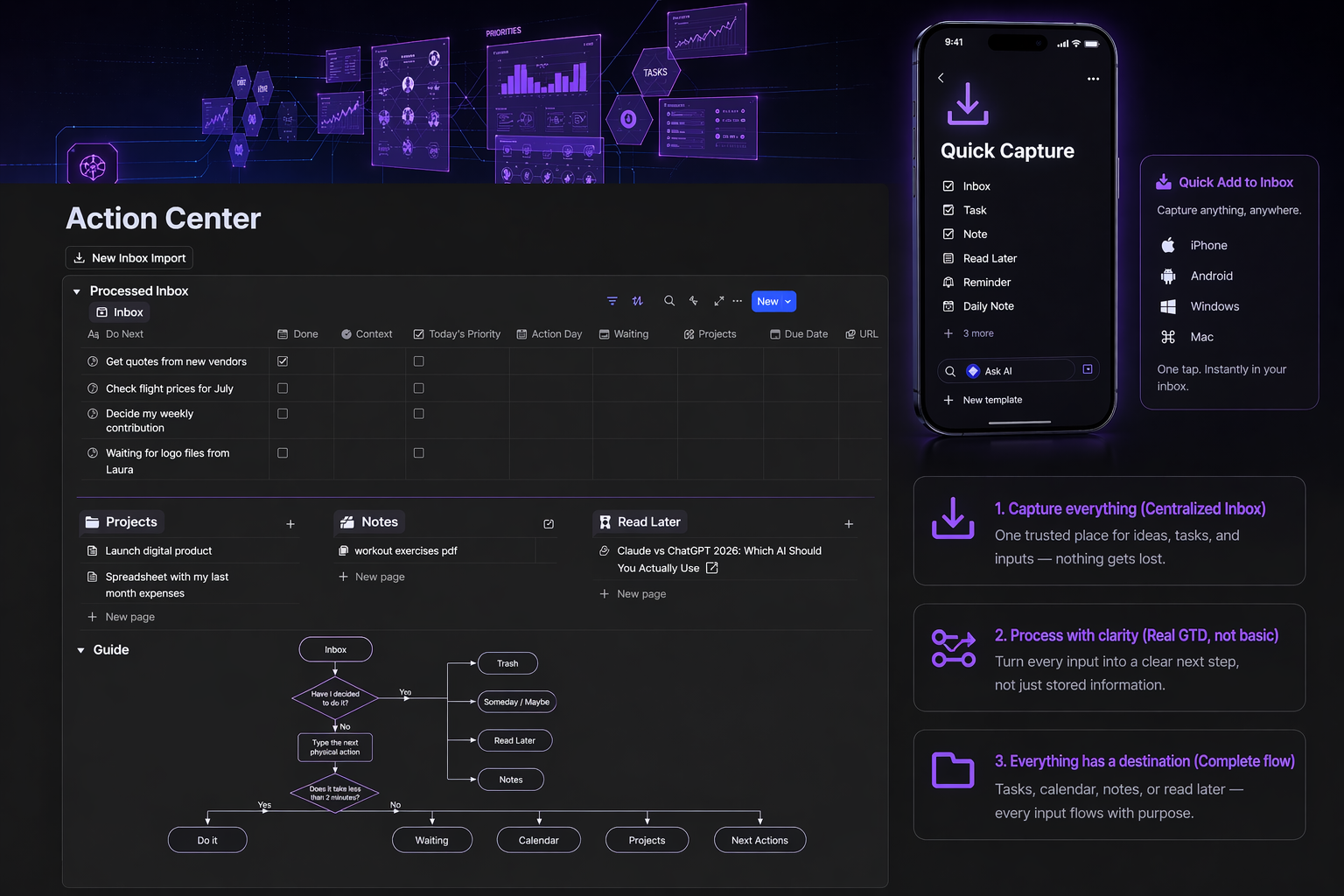
1. Inbox
Everything starts here
Capture, clarify, and take control of your inputs.
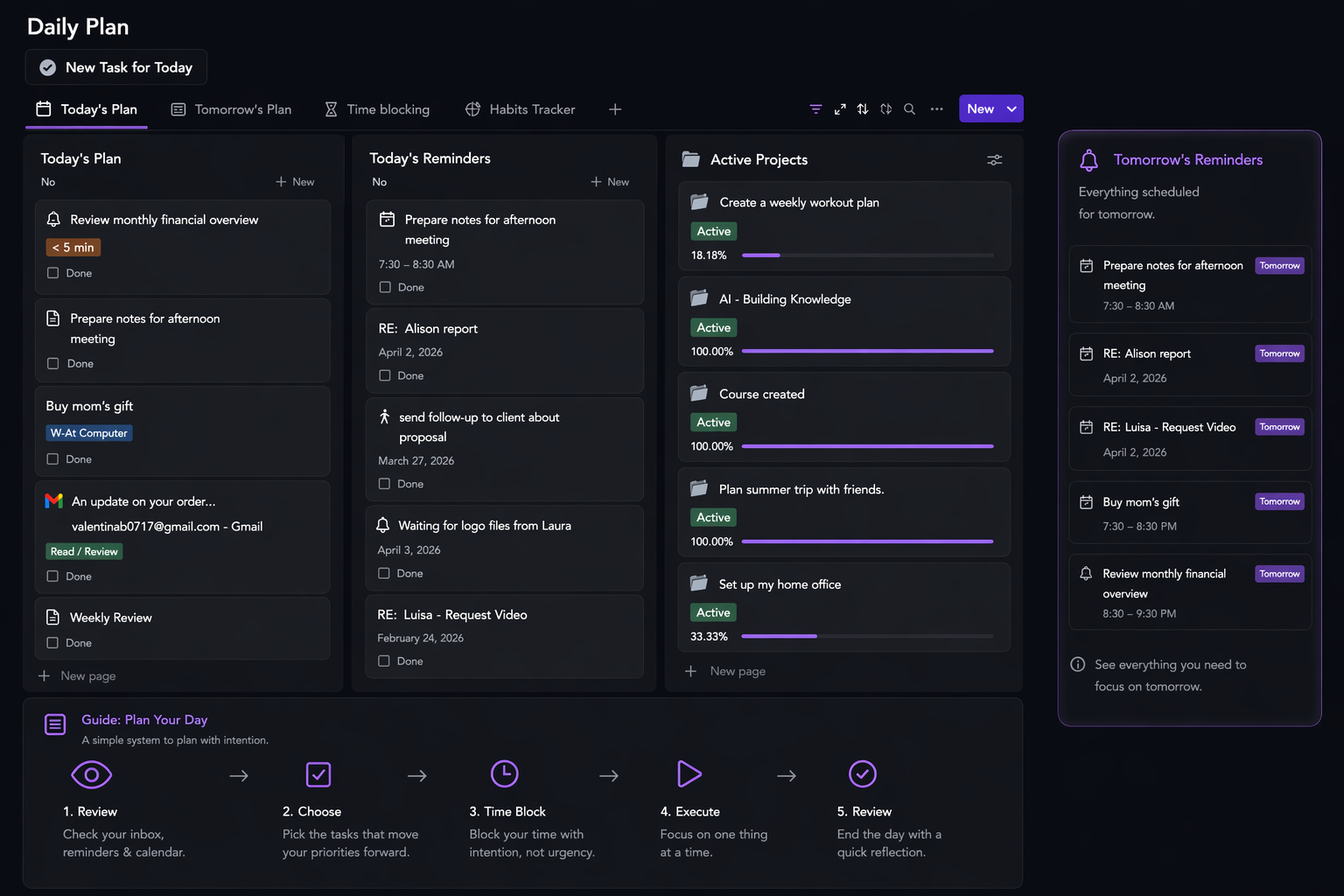
2. Daily Planning
Plan with intention.
Build your day from what’s already in your system, faster and with clarity.
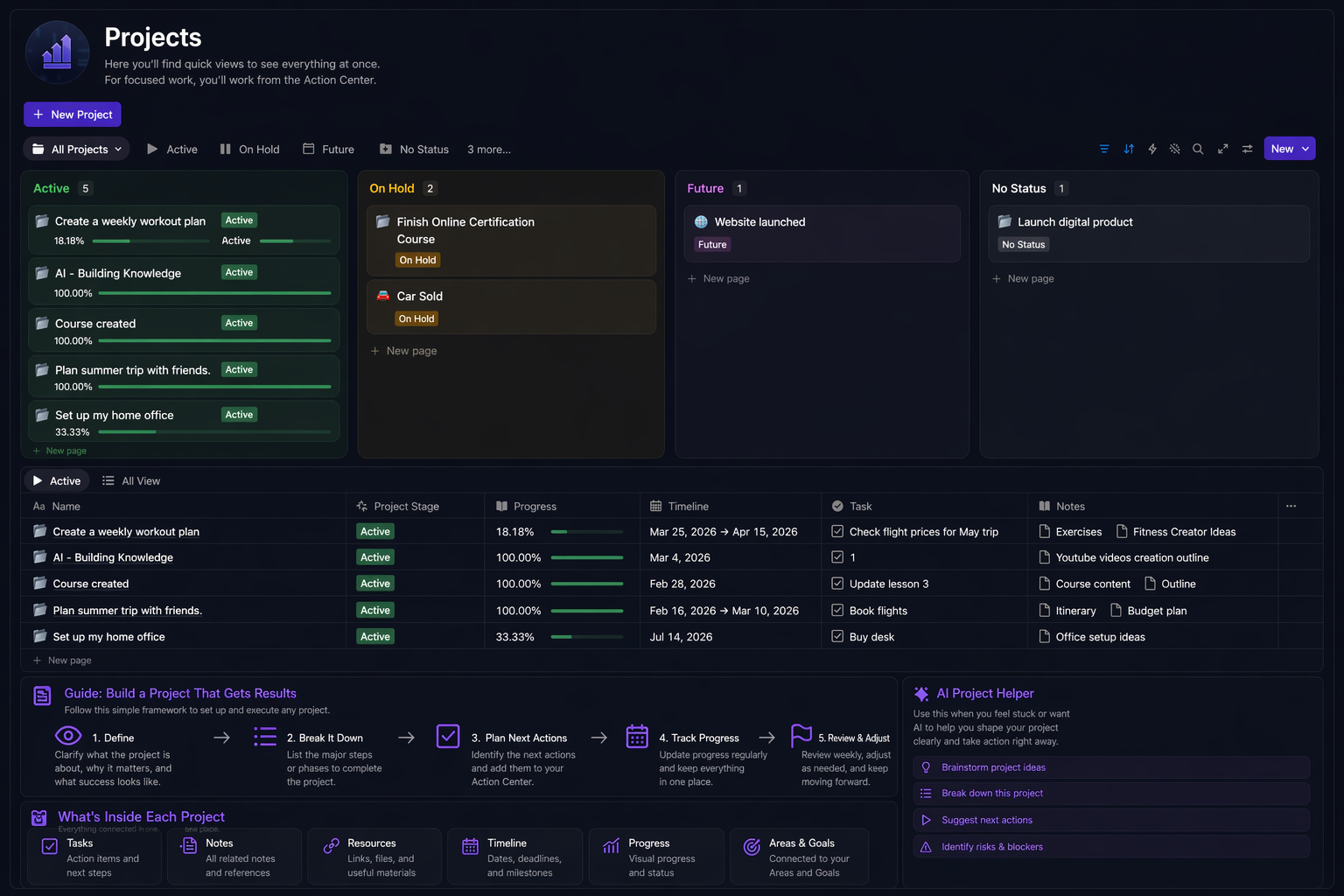
3. Projects
Turn ideas into outcomes.
Manage tasks, track progress, and keep everything moving forward.
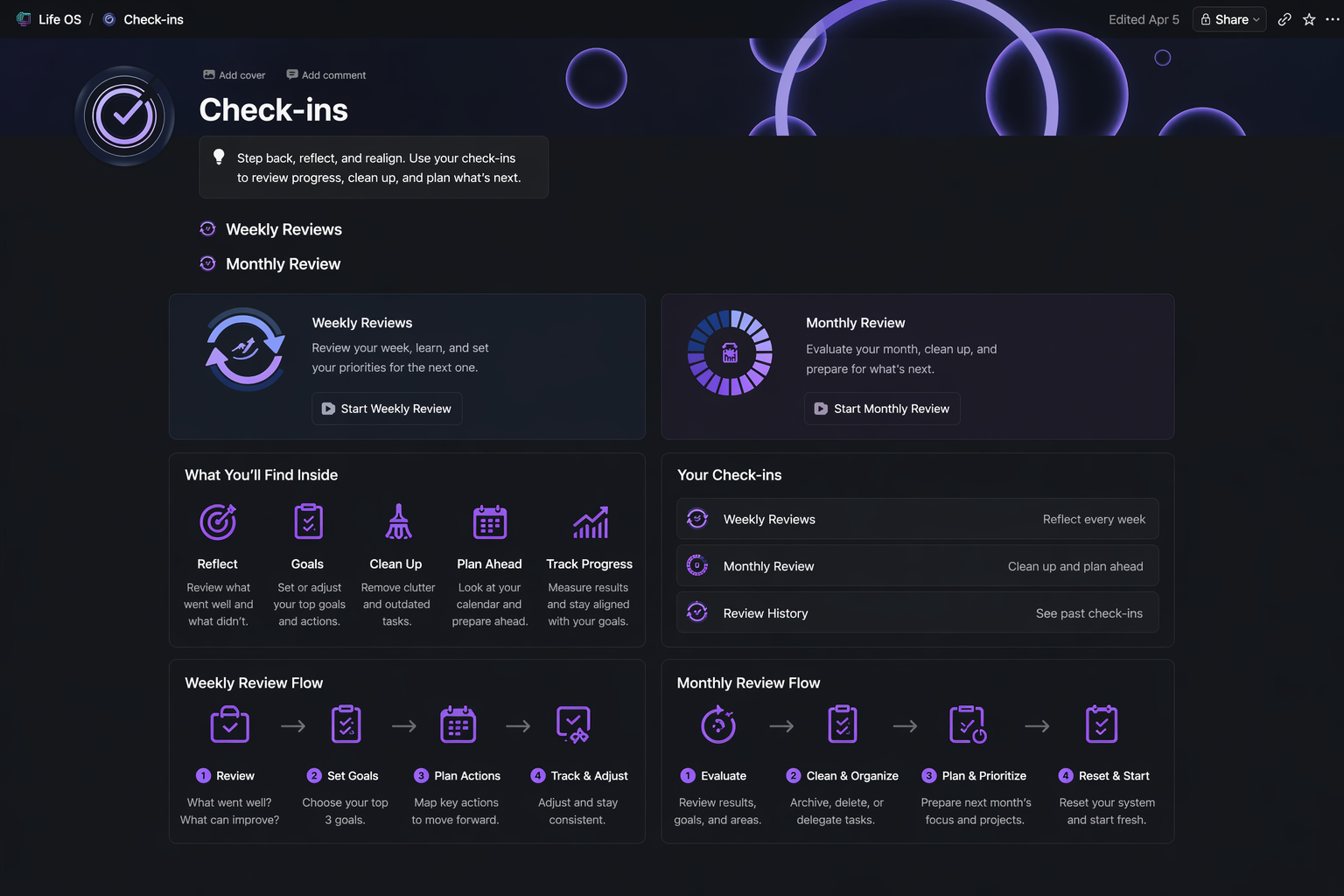
4. Check-ins
Step back to stay aligned.
Review, reset, and move forward with clarity.
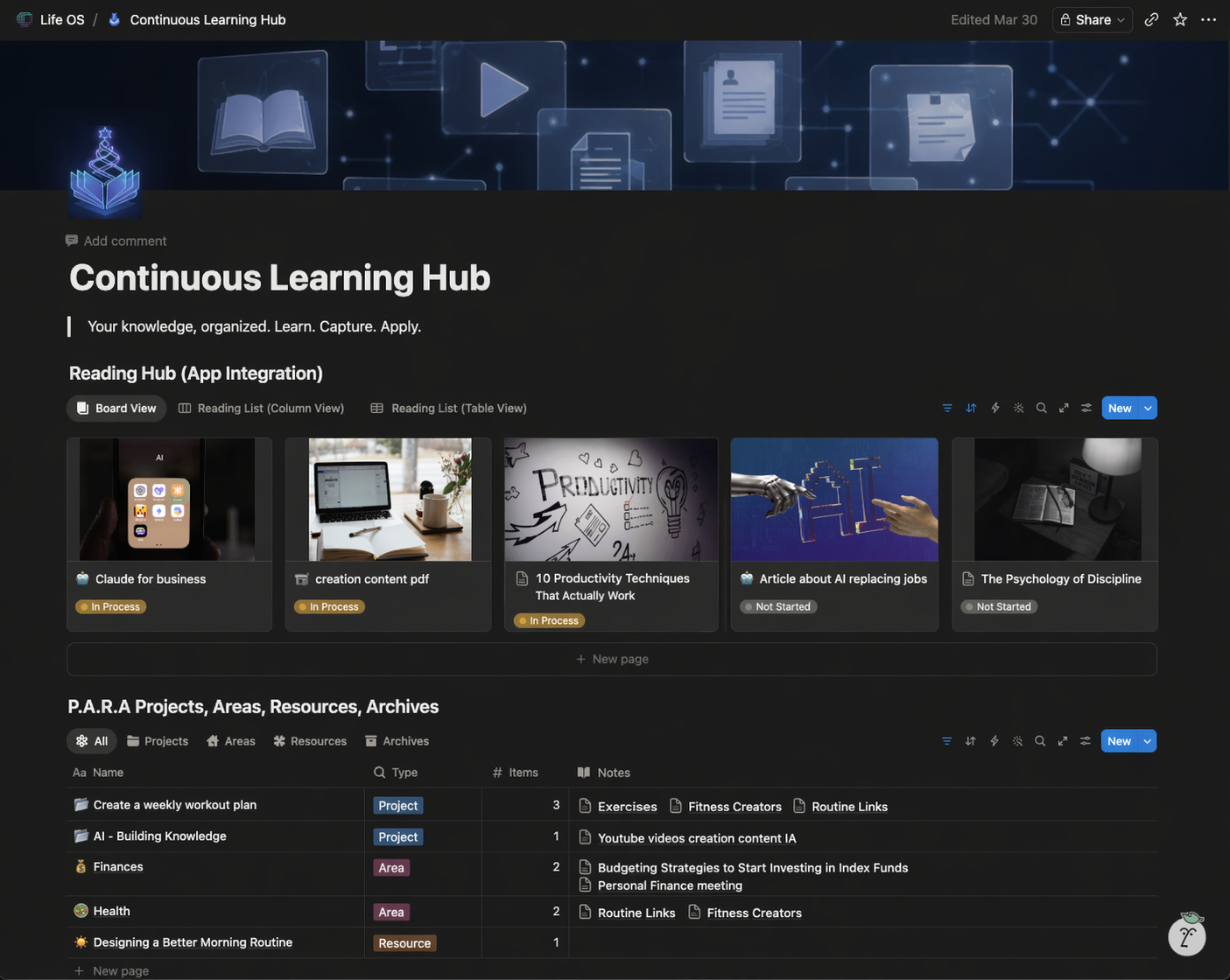
5. Learning Hub
Turn information into usable knowledge.
Capture, connect, and apply what you learn.
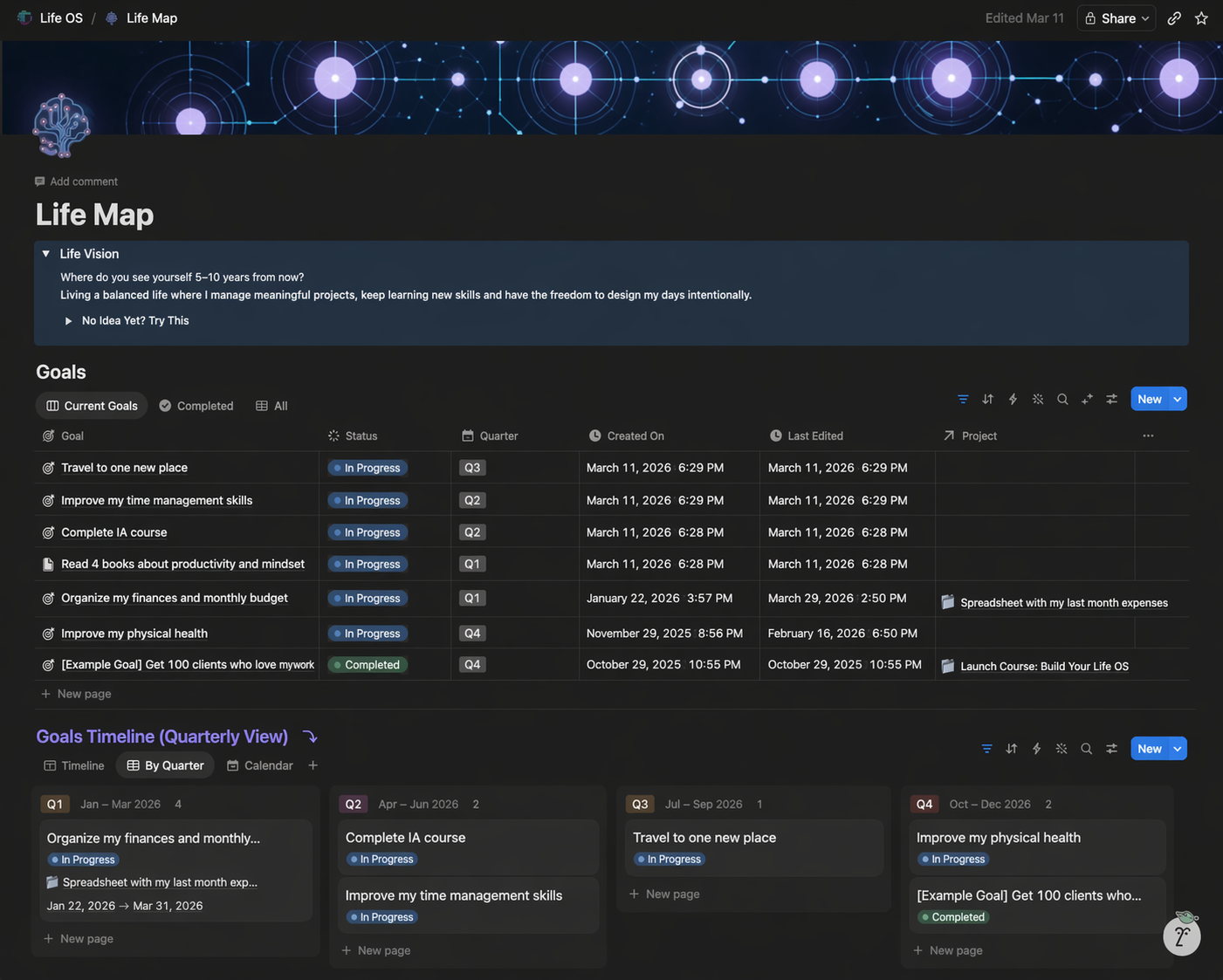
6. Life Map
Know where you’re going.
Align your goals with the life you actually want.
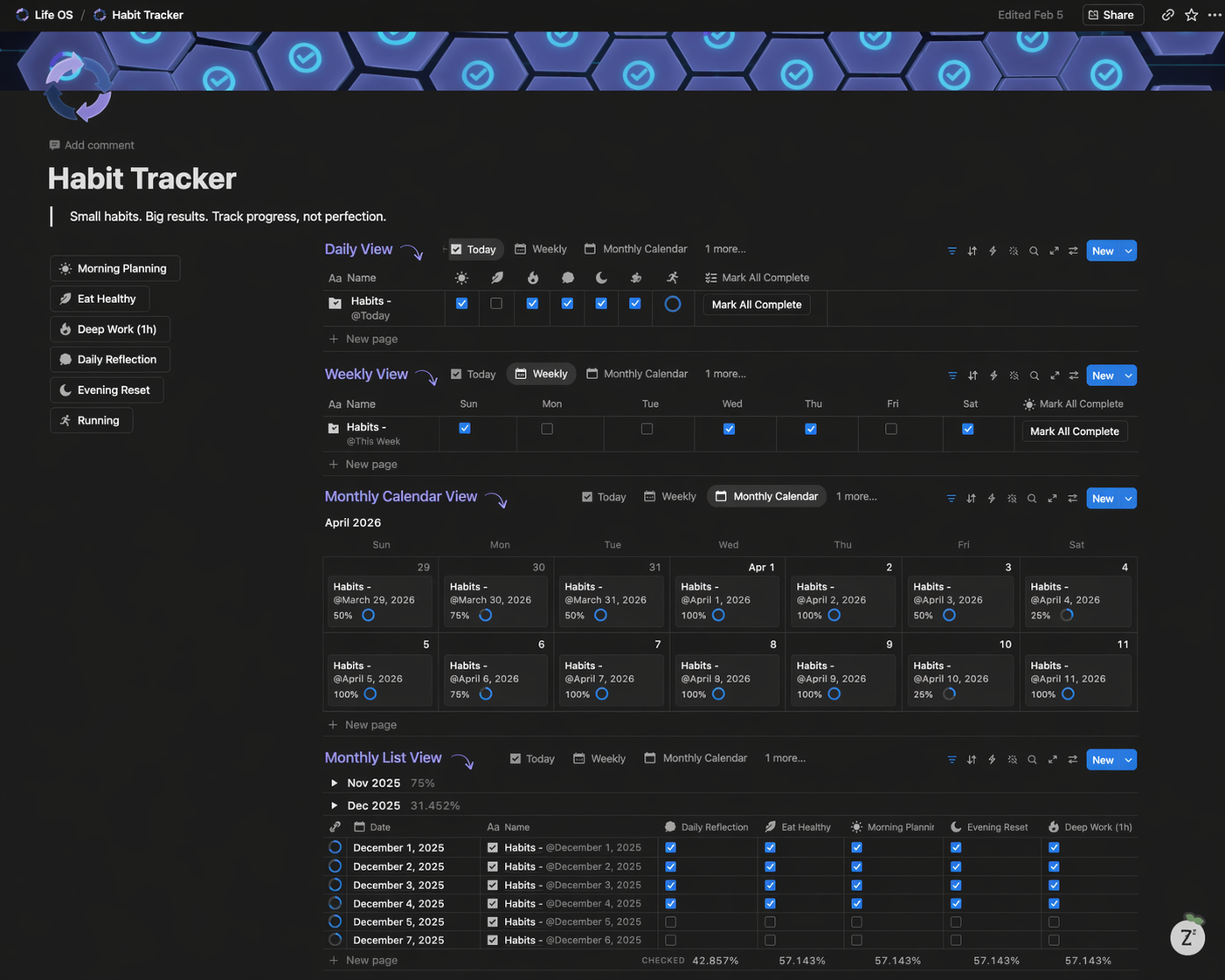
7. Habit Tracker
Build consistency that compounds.
Track what matters and make progress automatic.
THE DIFFERENCE
Life OS is not just a template.
It's a guided system.
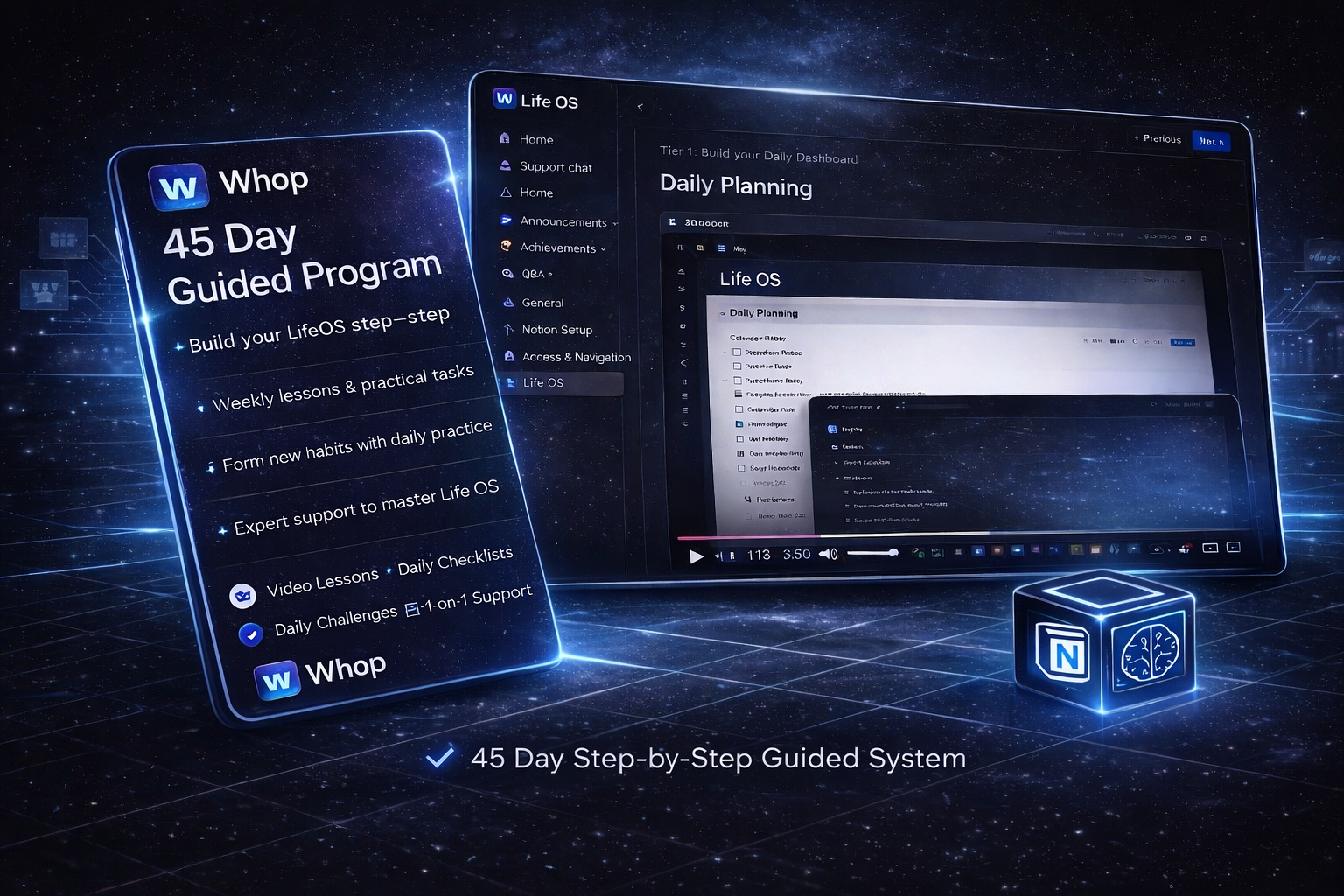
You don’t just get the structure.
You get a 45 day step by step program that shows you exactly how to use it, build it, and make it work in your real life.
ALIGNMENT
Who this is for
Remote Workers With Projects
You have a stable job and something you are building on the side. You want to make real progress without burning out.
Creatives and Builders
You have ideas, energy, and ambition, but your days feel too fragmented. You need structure, not more inspiration.
System Switchers
You have bought the templates and downloaded the apps. Nothing stuck. You are looking for a guided process, not just a tool.
One year from now, where will you be?
Steady momentum. Quiet evenings.
One screen. One task. You ship it.
Your project moves visibly, week after week.
Evenings are yours again. Mind quiet, in control.
Another year of being busy.
More templates. More apps. More videos.
Your project sits where it sits today.
2027 arrives. The idea is still just an idea.
Still on the fence?
Fair enough. Let's talk it through.
I don't have time to set this up
This is the most common reason people wait—and the most expensive one. The 45-day path layers things in gradually, so you're never overwhelmed. You save more time every day than it took to build it.
I've tried systems before. I always abandon them.
That's not a discipline problem. It's a design problem. Most systems assume ideal conditions. Life OS is built for the opposite. A 45-day guided program that builds the system piece by piece, at a pace that fits your life.
This is probably just another pretty Notion template.
Templates give you a structure. Life OS gives you a system. It tells you what to do with what you put in. It connects tasks to projects, projects to goals, goals to your day.
What if my life is too chaotic to fit?
The system was built by people running a business and a personal life. Chaos was the starting point. It brings structure to chaos — it doesn't require structure before you can use it.
Why pay $49 when free templates exist?
Free templates give you a blank container. They don't give you a decision framework, a 45-day implementation path, capture system, habit tracker, weekly review or connected goal-to-task structure. The $49 is for the system that's already built and tested — so you skip the months of trial and error.
Ready to start?
Get Life OS
FAQ's
You can start the same day.
Duplicate it, and begin organizing your tasks and priorities immediately.
Most systems fall apart because they demand perfection. Life OS is built for real life — if you miss a day, the system helps you get back on track without starting over.
Yes. The program includes a Notion Essentials guide for beginners. How to navigate, duplicate the template and use it from day one.
The system is built around your life, not the other way around. It includes a flexible structure that adapts to your context, schedule and priorities.
A to-do list shows you what to do. Life OS helps you decide what actually deserves your attention today and connects that to your projects, goals and habits.
You go at your own pace. The program is a guide, not a deadline. Move through it in whatever order fits your life.